One-time purchase · Reuse for your jobs · Microsoft Excel required
What you get
One workbook with seven tabs: Start, Estimate, Job Costs, Invoice, Change Order, Materials and Schedule. Enter quantities and unit prices; totals calculate in Excel. A quick-start guide is included.
The service names are editable prompts. Prices start blank.
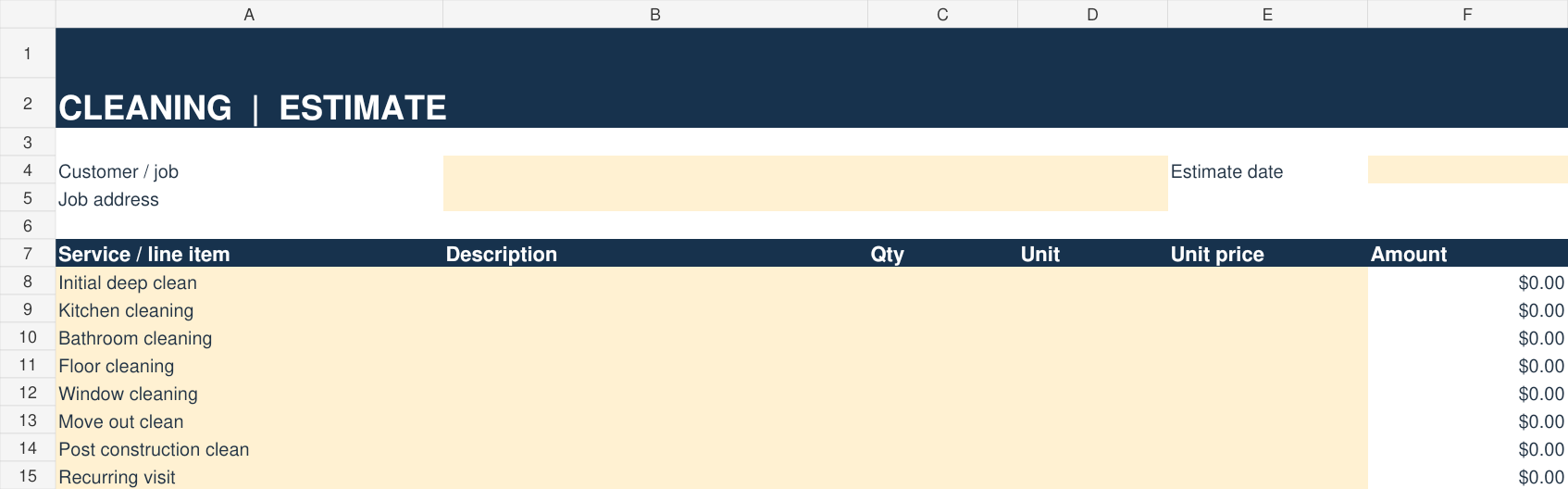
Cleaning service prompts
Initial deep clean
Kitchen cleaning
Bathroom cleaning
Floor cleaning
Window cleaning
Move out clean
Post construction clean
Recurring visit
Change these to match your work and pricing.
Preview rendered from the actual Cleaning workbook. Yellow cells are for your entries. Pricing starts blank. Tap to enlarge.
A look at the estimate lines
These labels come from the Cleaning workbook. Enter your own quantity and price; the workbook calculates the amount.
TradeKit Systems is sold by Arnold Investment Properties LLC. That is the business name you will see at Stripe checkout.
Digital Excel file. Does not send invoices, collect customer payments, or book jobs. Export a completed sheet as PDF to share it yourself. Microsoft Excel is recommended; Apple Numbers may alter formatting or calculations.